

- Some models in this product series have been discontinued.

Mega-pixel OCR Sensor
MVS-OCR2 Series
Easy Operation Mega Pixel OCR Vision Sensor with 8 Times Better Resolution


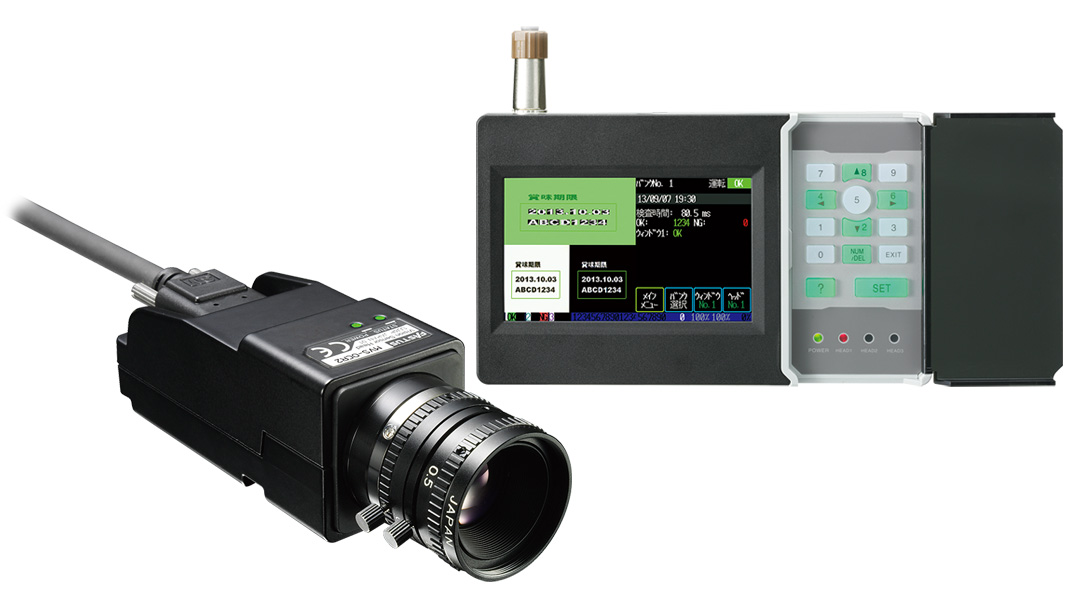
- Easy 3 step setup
- Prevents outflow of wrong printing to the market
Original LSI with CPU integrated
ECO-Engine: OPTimum CPU Ver.5
-
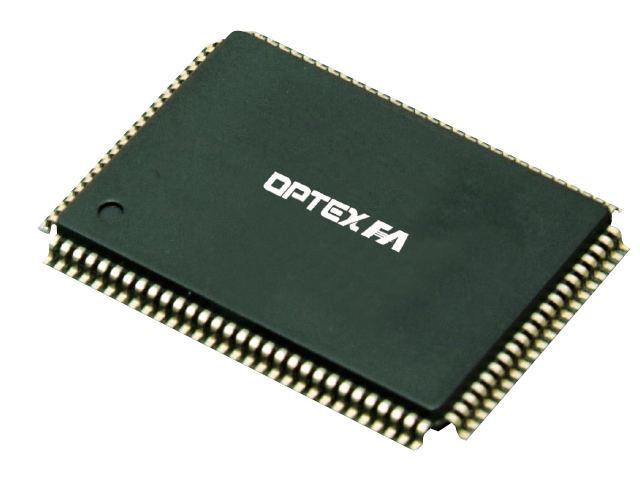
The MVS features an Optex original design LSI with CPU integrated, we were able to integrate the vision process engine into the camera unit.
This solution provides high speed image processing and accurate inspection for a variety of applications. Each camera processes the image internally and transmits the result to the controller.
-
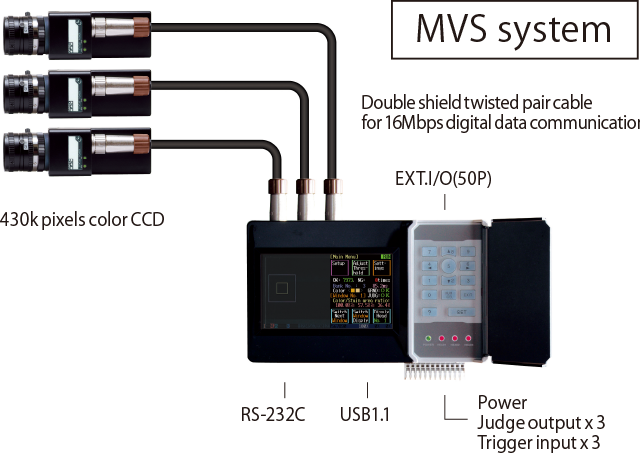
No change in response speed when operating multiple cameras
Three Cameras inspect independently
-
We utilized a new technology in the MVS that features low heat generation and low power dissipation. This concept was originally developed for the CVS Series as an all-in-one design, the same technique was carried over to the MVS.
There is no change in the response time when multiple cameras are used. The all-in-one design allows the camera to operate independent from the controller.
-
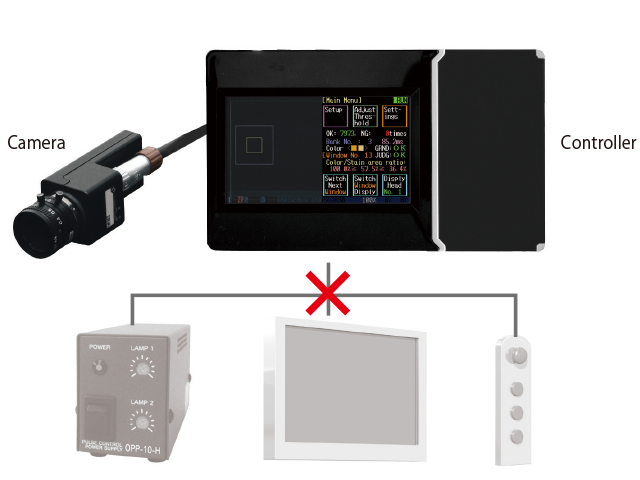
Integrated system technology
High Performance, Easy Installation and Low Cost
-
The controller has a built-in touchscreen interface, full color display and ten-key input panel. A power supply for control of the external lighting is also integrated into the controller. Simply connect the cameras and lights to the controller. There is no need for a console, external monitor or a separate power supply for lighting.
-
Support is available from LED lighting to training
-
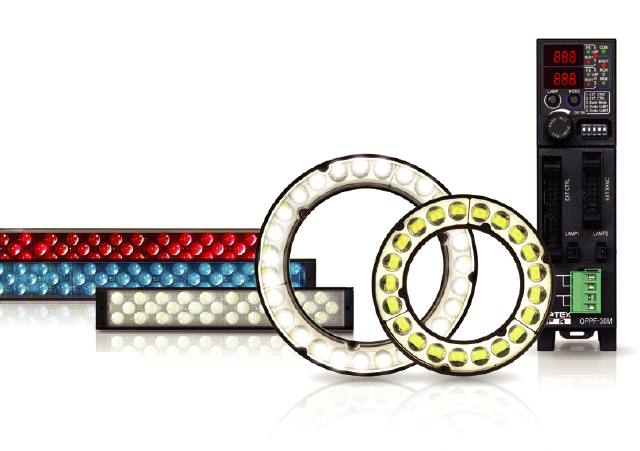
Lighting is the single most important factor to capturing a good quality image for inspection. Optex FA offers a complete selection of lighting options. We can provide customer support for the selection of lighting, lenses, and training.
-
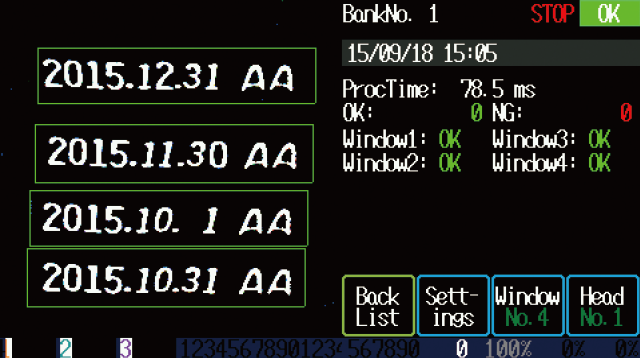
Up to 4 inspection windows
-
The parameters for each inspection window can be individually set.
Up to 2 Forms of each Date and Time are available for one window and up to 4 Forms of strings are available(max. total of 4 Forms).
-
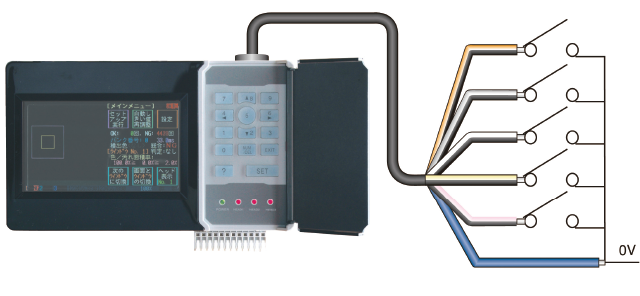
Quick change over
32 Banks are available for one Camera
-
You can remotely select the bank to use by using a controller, PLC or the RS-232C I/F. The setup parameters for each bank are stored in memory and can be recalled when the product is run again.
-
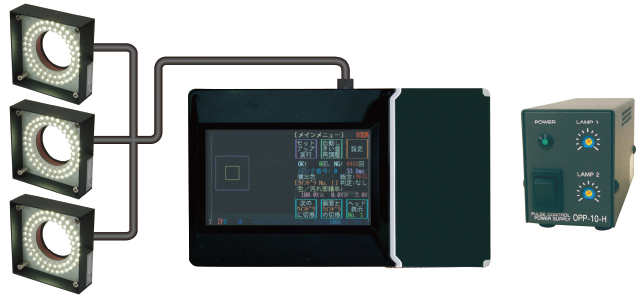
Lighting control without the need of a separate power supply
Controller has LED lighting control built in
-
Support for a total of three LED lights(12VDC, 24W total)is available.
The output connector for the power source is a quick connect/disconnect type.
The intensity level for each light can be adjusted separately.
-
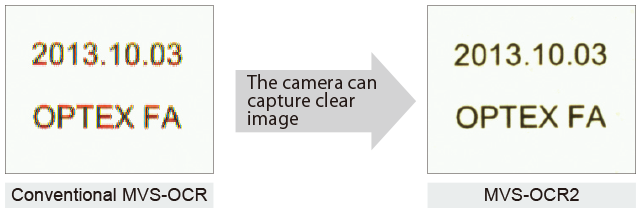
Achieved 8 times better resolution
High resolution system enables accurate print inspection
-
-
With mega pixel CMOS image sensor, it achieved accurate print inspection by better character recognition
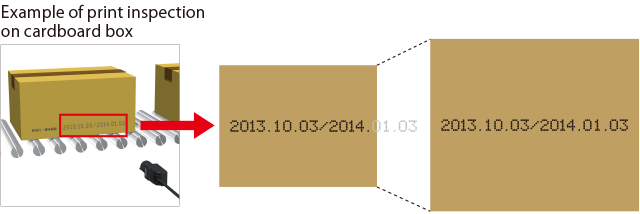
You can get bigger FOV (Field of view)
-
-
With better resolution, you can set around 2 times bigger FOV.
Print inspection of long printing in wide area is available
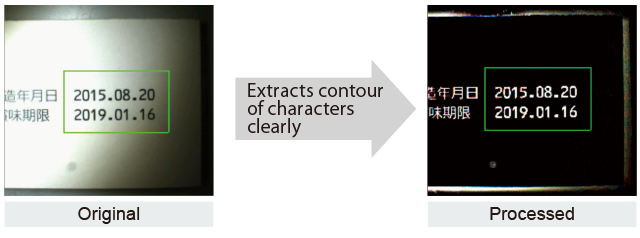
Clear clipping out of the characters by new algorithm It clips out of the characters clearly even if the lighting is uneven
-
-
New algorithm achieved clipping out of the characters under uneven or unstable lighting.
Character recognition feature of MVS-OCR2
-

-
MVS-OCR2 compares captured image with internal dictionary and choose most alike character.
Then, it compares the recognized characters with expected characters. When all characters are correct, it outputs “OK”. Otherwise, “NG” (No Good).
Recognizes various printer fonts

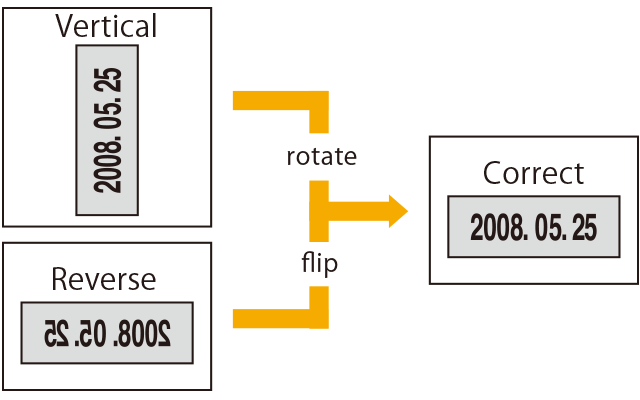
Change the image direction
-
The image direction for each bank can be set. This makes it possible to read reverse printed characters such as printing on the opposite side of a transparent sheet.
-
Functions to prevent miss recognition for stable inspection We installed useful functions that are created based on our long experience in print inspection industry.
Warning (multiple objects run sticked)
-
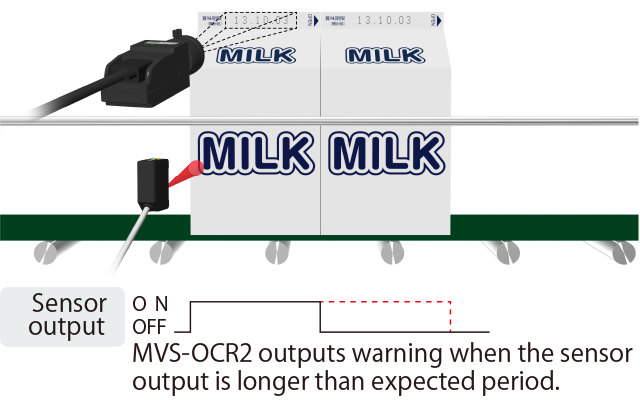
When the objects run sticked side by side, the photo sensor outputs only once and the conventional OCR sensor won’t check second one. MVS-OCR2 has warning function by checking trigger signal length to detect this problem.
-
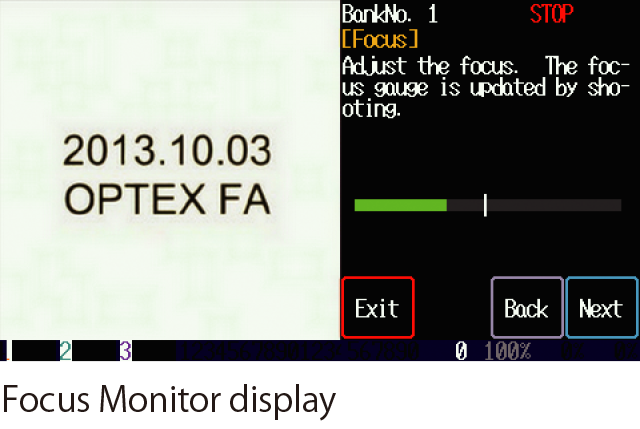
Focus Monitor
-
It is difficult to adjust focus of the camera if you are not get use to it. MVS-OCR2 has “Focus Monitor” function a kind of level gauge that shows how much the camera focuses at the point to be adjusted. It will be very easy to adjust by checking visualized level bar.
-
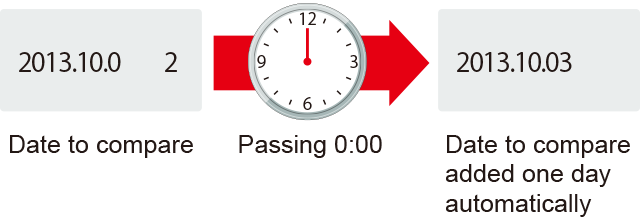
Auto Calendar
-
MVS-OCR2 compares the date and hour with internal calendar which automatically runs so you don’ t have to re-setup the characters to check every time.
-
Matching tolerance per character
-
The matching tolerance for each character can be set (ex. the numbers "6" an "8" are very close in shape and need to be checked closely).
-
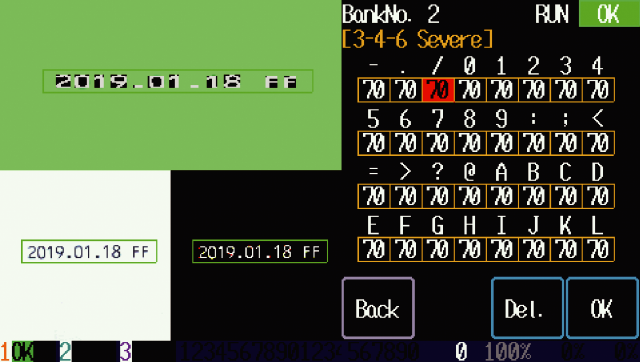
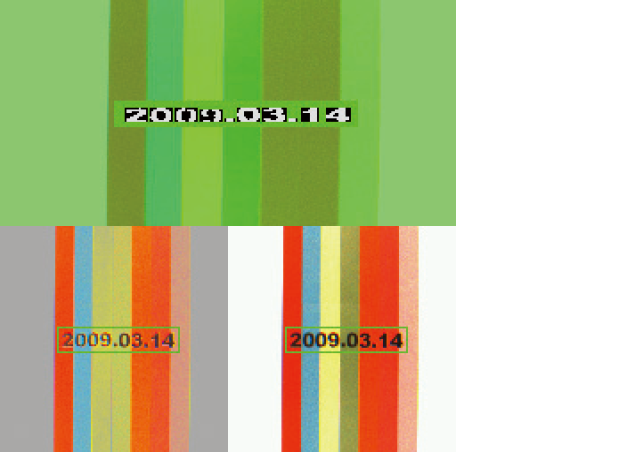
OCR regardless of color
-
The MVS-OCR2 is able to detect characters regardless of the color of the background.
-
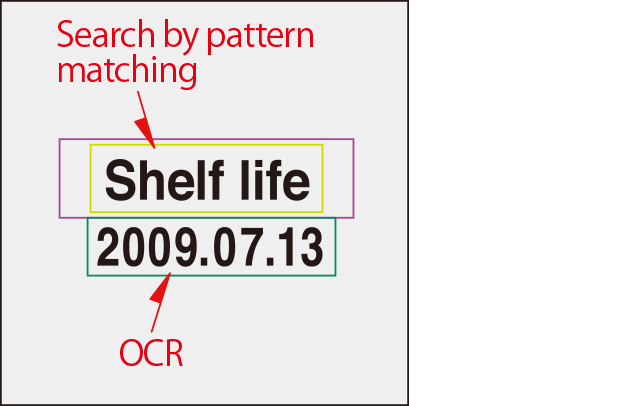
Search function
-
The MVS-OCR2 is able to search in both the X and Y directions, it also can do a rotational search of +/- 0~180 degrees by pattern matching.
-
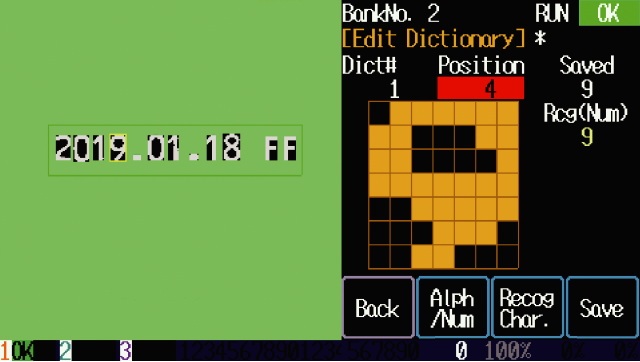
User defined characters
-
The MVS-OCR2 can recognize lower case letters and special symbols defined by the user dictionary.
For example it can be used to distinguish between "H" and "M" when the font that is used makes these letters hard to distinguish.
-
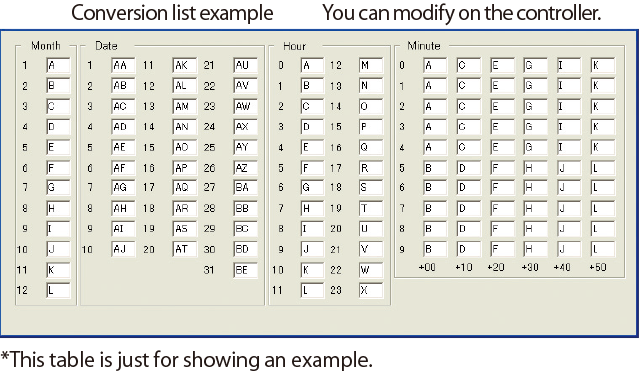
Code recognition
-
-
It can recognize Code of Month/Date/Hour/Minute. Example: "CAO H" > "March 15th, 7 O'clock
For stable inspection and better process yield
5 functions are available
Continuous capture
When the camera checks the image it will automatically check up to 5(EM-R) or 6 images(PM-R) or 8 images(OCR2), looking for a good reading. This insures stable operation if the trigger is not stable or the position of the object changes slightly.
If the result is found to be OK the inspection will stop prior to reaching the maximum number of inspections.

-
Variable shutter speed
When the camera is checking image using the Continuous Capture feature the shutter speed will automatically be adjusted up to +36% ~ -24%(PM-R/EM-R) or +/-12% (OCR2). This compensates for changes in the lighting.
-
Search function
The images is searched not only in the X and Y direction but it also can be rotated up to +/- 180 degrees (PM-R/OCR2) or +/- 45 degrees(EM-R). This is useful when the position or orientation of the object changes.
Help function
-
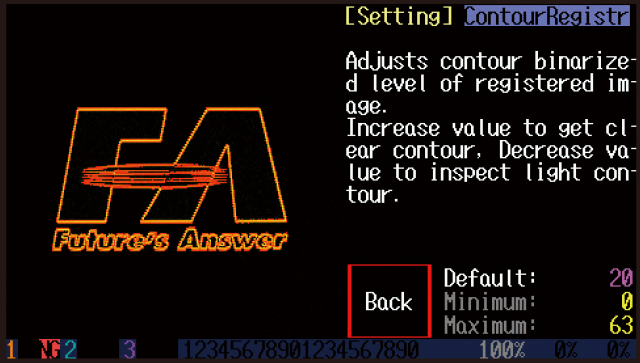
button on the ten-key panel shows what the parameter means and what adjustments can be done.
-
Dark Compensation (OCR2 : Illuminance Correction)
For reliable inspection of color, the hue of each pixel is calculated. This function insures that captured images are stable even with variations in lighting or when the distance to the target changes.
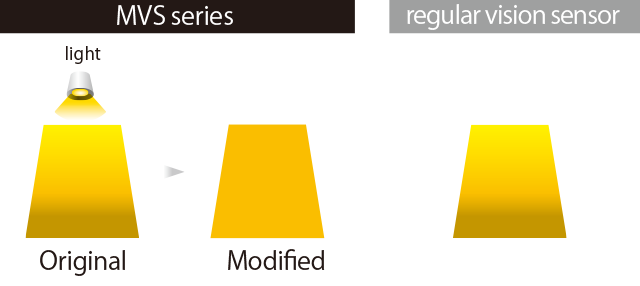
When the light is from the top
-
-
The MVS calculates the hue of each pixel so it can get a homogenous color for each pixel. Regular vision sensors simply adjust the brightness so the upper part is brighter than the lower part.
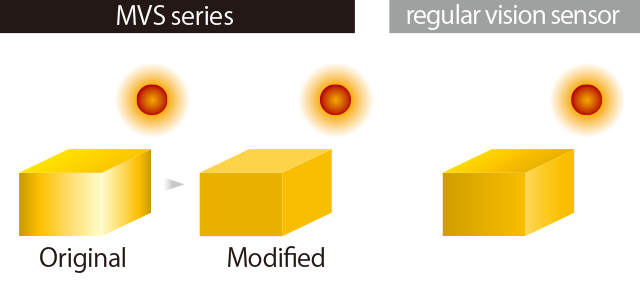
When a bright ambient light is present
-
-
The MVS can get a homogenous color for each pixel even if the object has an area which is brighter due to external ambient light.
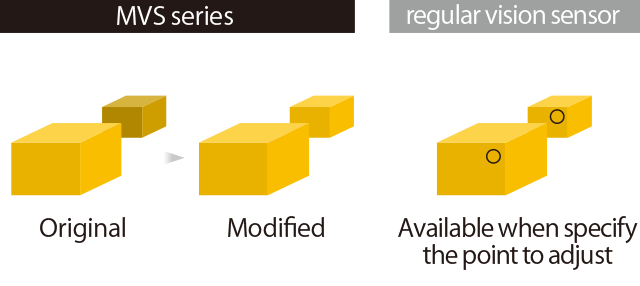
When the distance varies
-
-
The dark compensation function is effective when the object distance varies and its brightness changes
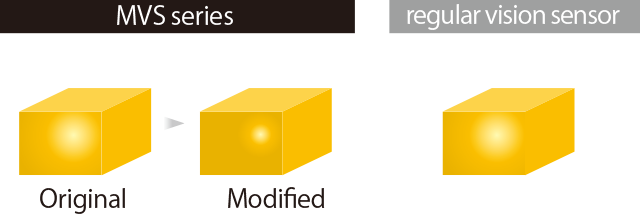
When the object is glossy
-
-
The dark compensation function helps to reduce bright spots on glossy surfaces.
Easy Setting and Processing
3 - Step - setup
What you have to do is just proceed setting parameters as shown on the display one by one. This helps you not to forget setting some parameters and reduce setting wrongly. It’s just 3 steps you have to go through settings that is much more simple than conventional MVS-OCR. You can reduce time for installation as well.

Contact Us
Our experts quickly deliver the best plan for your needs and provide continuous support throughout the process.
- Download List
- 20